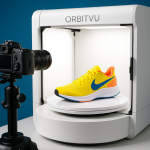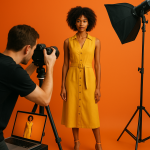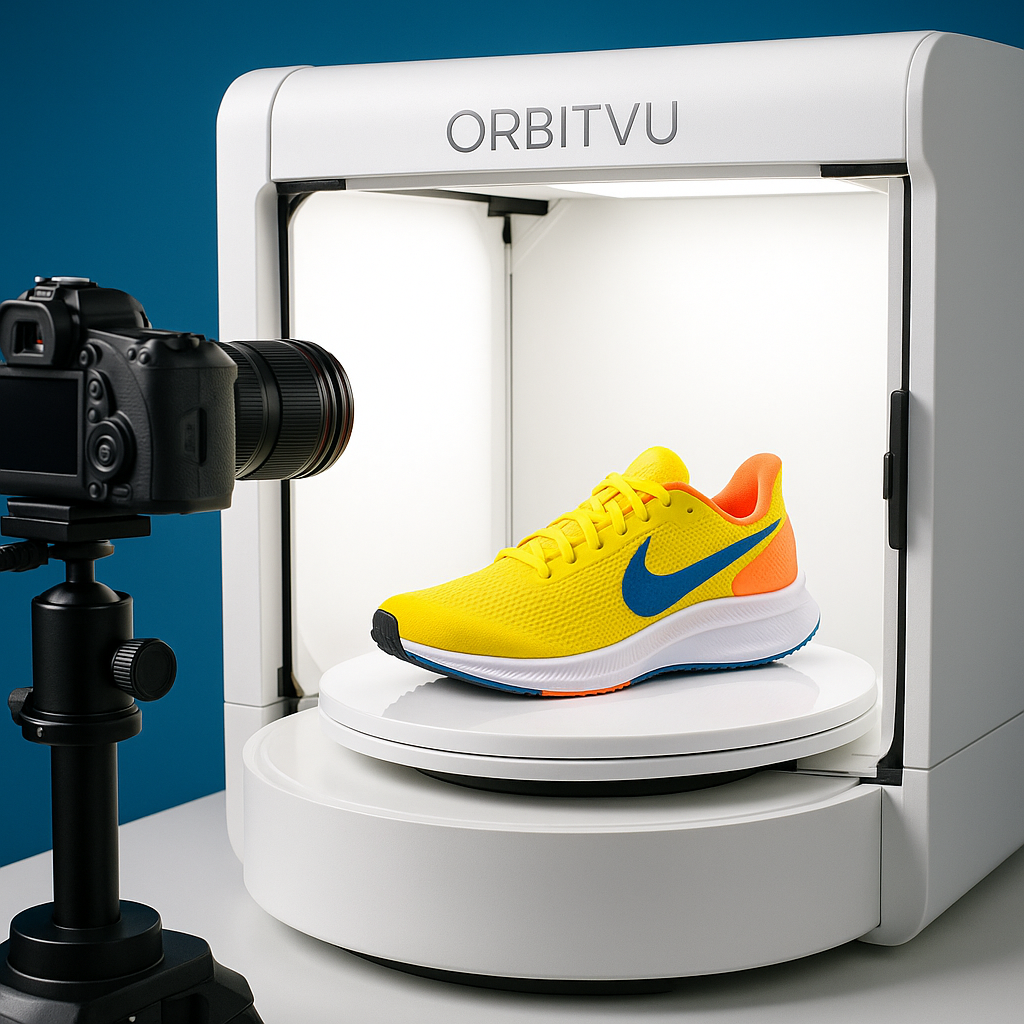
Product photography with Orbitvu doesn’t just make your images look better; it makes your whole content pipeline faster, more consistent, and easier to scale. If you’re juggling thousands of SKUs for Shopify, Amazon, or your own catalog, Orbitvu machines can turn what used to be a painful shoot day into a streamlined, semi-automated workflow.
Orbitvu product photography automation explained
Orbitvu product photography automation is a studio system that combines controlled lighting, motorized turntables, and dedicated software to remove guesswork from eCommerce image creation. Instead of manually dialing in camera settings, adjusting softboxes, and editing each file in Adobe Photoshop, you rely on Orbitvu’s presets and templates to keep everything consistent.
Orbitvu machines like ALPHASHOT, ALPHASTUDIO, and FASHION STUDIO integrate with Orbitvu Station software to control exposure, color, cropping, and export formats. In many setups, you can move from first test shot to production-ready template in under 30 minutes. Once the template is locked, operators can shoot 50–100 products per hour, depending on complexity.
Industry data backs up the need for this level of automation. According to a 2023 report by Shopify, adding high-quality images increases conversion rates by an average of 30%. Amazon requires at least 85% of the frame to be filled by the product, and Orbitvu templates make hitting that standard basically automatic. One Orbitvu case study shows that brands often cut their post-production workload by 60–80% once they standardize on a single, automated pipeline.

Core components of an Orbitvu product photography setup
An effective Orbitvu product photography with Orbitvu setup usually includes:
- A dedicated Orbitvu device (e.g., ALPHASHOT for small products, ALPHASTUDIO for larger items)
- A compatible DSLR or mirrorless camera (Canon and Nikon bodies are commonly supported)
- Orbitvu Station software running on a computer
- A calibrated monitor using tools like X-Rite i1Display to maintain color accuracy
- Consistent file naming and export presets tailored to platforms like WooCommerce, Magento, or BigCommerce
Orbitvu 360 product photography and spins
Orbitvu 360 product photography creates interactive spins and animations that significantly increase customer engagement and dwell time on product pages. Because Orbitvu machines use motorized turntables and synchronized shutter control, each frame in the 360° sequence is captured with identical lighting and framing.
With a typical Orbitvu 360 setup, you can capture between 24 and 72 frames per rotation, depending on how smooth you want the interaction. In practice, 24-frame spins provide a good balance of file size and visual smoothness for most eCommerce experiences. Some retailers report that adding 360° spins increases add-to-cart rates by 10–20%, particularly in categories like shoes, electronics, and home goods.
Orbitvu Station automates the spin capture process: you set the frame count, hit record, and the system rotates and shoots without manual intervention. The software then stitches the frames into HTML5-ready players that you can embed into platforms like Shopify or custom React front-ends. Compared to building 360° content manually in tools like PTGui or custom JavaScript viewers, Orbitvu outputs are much faster to produce and easier to standardize across thousands of products.
Best practices for Orbitvu 360 product photography
To get the most out of Orbitvu 360 product photography with Orbitvu machines:
- Stabilize the product: use museum putty for small items to prevent micro-shifts during rotation.
- Match angles: align the primary still image angle with a key frame from the 360° spin to keep the experience cohesive.
- Optimize file size: compress output using TinyPNG or ImageOptim to keep total spin size under 2–3 MB when possible.
- Keep lighting subtle: avoid overly dramatic shadows that can flicker as the product rotates.
Orbitvu packshot workflows for eCommerce
Orbitvu packshot workflows are standardized shot templates that produce consistent white-background product photos optimized for eCommerce platforms. Packshots are where Orbitvu machines really shine because they remove the variability that usually comes from different operators, days, and setups.
A good packshot workflow with Orbitvu follows a repeatable structure: you design one master preset that dials in camera settings, lighting profiles, cropping, and output formats, then you apply it to every subsequent product in that category. For example, you might have separate templates for shoes, bottles, electronics, and fashion accessories.
Many Orbitvu users see a 50–70% reduction in average time-to-web compared to traditional studio setups. In a typical non-automated studio, shooting and editing a single packshot might take 10–15 minutes. With Orbitvu, that often drops to 2–4 minutes, including basic retouching handled automatically by the software.

Creating marketplace-ready packshots
Orbitvu packshot workflows make it easier to meet platform-specific standards like Amazon Seller Central requirements (pure white background RGB 255/255/255, product filling at least 85% of the frame) or eBay and Walmart Marketplace guidelines.
Key tips include:
- Use auto-masking: Orbitvu’s automatic background removal often hits 90–95% accuracy, drastically reducing manual Photoshop work.
- Lock down crop ratios: use a consistent 1:1 or 4:5 aspect ratio to keep your category grids clean.
- Standardize filenames: adopt a naming convention like
SKU_view-type_angle.jpgto streamline DAM (Digital Asset Management) integration. - Check color consistency: periodically compare images to physical samples under D65 lighting (6500K) to avoid return-driving color mismatches.
How to build a scalable Orbitvu product photography workflow
A scalable Orbitvu product photography workflow structures your people, processes, and tools so that adding more SKUs doesn’t multiply your headaches. Instead of treating each shoot as a one-off project, you treat your Orbitvu machine like an automated content line.
To make product photography with Orbitvu truly scalable, start by documenting your process. Lay out each step in a simple SOP: intake, prep, shoot, quality control, export, and upload. Tools like Trello or Asana can track where each product is in the pipeline, and you can use a shared Google Sheets or Notion database to log which templates were used.
From a workflow perspective, Orbitvu’s biggest strengths are repeatability and training simplicity. New staff can usually become productive on an Orbitvu station in one or two days, compared to weeks of training in a fully manual studio environment. That matters when your goal is to consistently deliver thousands of images per month across multiple sales channels.
Integrating Orbitvu with your tech stack
Orbitvu outputs integrate well with eCommerce ecosystems that include Shopify, Adobe Commerce (Magento), Akeneo PIM, and DAM systems like Bynder or Cloudinary. You can configure Orbitvu Station to export directly into shared folders or S3 buckets, ready for ingestion by your PIM or CMS.
To keep things clean and controllable:
- Use a dedicated “incoming assets” bucket or folder per channel.
- Apply channel-specific presets (different resolutions and compressions for Amazon vs. your own site).
- Set up automated QA scripts or dashboards to flag missing angles or misnamed files.
Frequently Asked Questions
How much time can Orbitvu save compared to a traditional photo studio?
Most teams report that product photography with Orbitvu reduces shoot and post-production time by 50–70%. Where a traditional studio might take 10–15 minutes per image including editing, Orbitvu workflows often bring that down to 2–4 minutes while keeping quality consistent.
Do Orbitvu machines work for both stills and 360° product photography?
Yes, Orbitvu machines are designed for both still images and 360° product photography. The same hardware and Orbitvu Station software control the camera and motorized turntable, letting you capture packshots, spins, and short product videos from a single setup.
What types of products are best suited for Orbitvu machines?
Orbitvu machines handle a wide range of products, from small items like cosmetics and electronics to larger goods like shoes, bags, and small appliances. For very large products (like furniture), you may need a different studio setup, but most eCommerce-sized SKUs fit within Orbitvu’s standard devices.
Can Orbitvu outputs meet Amazon and other marketplace image requirements?
Yes, Orbitvu workflows can be configured to meet Amazon’s white-background requirements and framing rules, as well as guidelines for marketplaces like eBay and Walmart. By setting up tailored presets, you can export marketplace-compliant images automatically, without manual editing in Photoshop.